


About the Standards
A Sociotechnical Approach to CS Education
Computing is woven into every aspect of our lives, from the tools we use to communicate to the technologies that shape our opportunities. Students need more than technical skills. They need to understand how computing and society shape one another. This understanding lies at the heart of the revised CSTA PK–12 Computer Science Standards, which aim to prepare students not only to use and build technology, but also to question, imagine, and influence its role in the world.
Moving Beyond Techno-Myths
Technology is often described as neutral, inevitable, or outside of human control. These techno-myths frame computing systems as if they evolve independently of human decisions. In reality, every technology reflects decisions made by designers, companies, and communities, and carries the values and power of those choices.
Computer science education can help students replace techno-myths with sociotechnical understanding—the recognition that technology and society are inseparable. Students learn that computing systems are not just technical artifacts but products of cultural, political, and economic choices. This prepares them to ask deeper questions: Who benefits from this technology? Whose needs are ignored? What values are embedded in its design?
Understanding and Addressing Computing’s Harms
Discussions of ethics in computing often focus on isolated examples of bad actors or unintended consequences. A sociotechnical approach encourages students to see patterns and systems—how inequities, biases, or environmental impacts arise from both the technology itself and the contexts in which it is built, used, and discarded.
Students explore real-world issues such as biased algorithms in hiring, surveillance in schools, or environmental effects of data centers. They examine types of harm (e.g., discrimination or misinformation), mechanisms (e.g., how biased data or business incentives drive those harms), and mitigation strategies (e.g., responsible design, policy, and advocacy). In doing so, students develop agency and recognize that harms are not inevitable, and that human choices can shape better outcomes.
Practicing Ethical and Responsible Computing
Understanding is only half the goal; the other half is practice. Ethical, responsible, and critical computing becomes meaningful when students do it. This includes engaging in a range of practices:
- Ethical design: creating technologies that reflect values such as fairness, privacy, and accessibility
- Critical inquiry: investigating how technologies affect people and the environment, and questioning whether certain technologies should exist at all
- Hopeful reimagining: envisioning technological futures that are more just and considering how they might be achieved
- Advocacy: recognizing when to question, challenge, or avoid technologies that cause harm
- Responsible use: making thoughtful decisions about personal and collective use of technology
These practices move computing education beyond coding for its own sake, helping students connect computing to real-world issues they care about.
Ethics as Dialogue, Not Doctrine
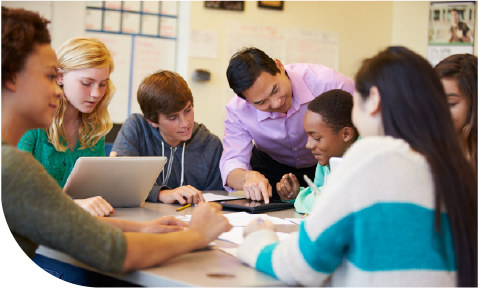
There is no single “right” answer to what is ethical in computing. Instead of prescribing moral rules, educators can help students navigate competing perspectives and values. Some classrooms might focus on identifying harms and responsibilities; others may examine the values built into technologies or explore what happens when you look at issues through multiple, sometimes competing, ethical frameworks. Across these approaches, students learn to reason, debate, and deliberate. They recognize that ethical computing is a process of ongoing reflection and dialogue. The examples below illustrate a few ways these ideas might appear in classroom practice.
Examples of Implementing Ethics in PK-12 Classrooms
Elementary (Grades PK–5)
- Exploring accessibility: Students examine digital tools used in their classroom and discuss for whom they are designed, who might have difficulty using them, and how they could be redesigned to work for more people.
- Understanding personal data: Students investigate what types of personal data apps collect and discuss when and why people might choose to share or protect their information.
Middle School (Grades 6–8)
- Investigating AI: Students explore examples of bias in facial recognition or other AI systems, experimenting with tools that help them understand how these systems work and who they work for.
- Questioning techno-myths: Students examine common beliefs such as “technology is neutral” or “technology is inevitable” and analyze how human decisions shape technological systems.
High School (Grades 9–12)
- Designing with values: Students begin software or app development projects by identifying values such as fairness, privacy, accessibility, and safety and consider how those values shape design decisions.
- Algorithmic audits: Students systematically test AI systems to identify patterns of bias or unexpected outcomes.
Why This Matters
Reimagining computer science education through this sociotechnical lens makes CS more rigorous, relevant, engaging, and empowering. It enables students to see computing not as a distant or predetermined field, but as something they and their communities have the power to shape. They learn that coding and critical thinking go hand in hand, and that the most powerful computing education is one that connects knowledge to responsibility, creativity, and community.
This approach invites educators across disciplines to help prepare students to participate fully in our world powered by computing—as designers, users, and changemakers. It helps students see that although AI may dominate headlines, human choices and collective responsibility shape the story.